











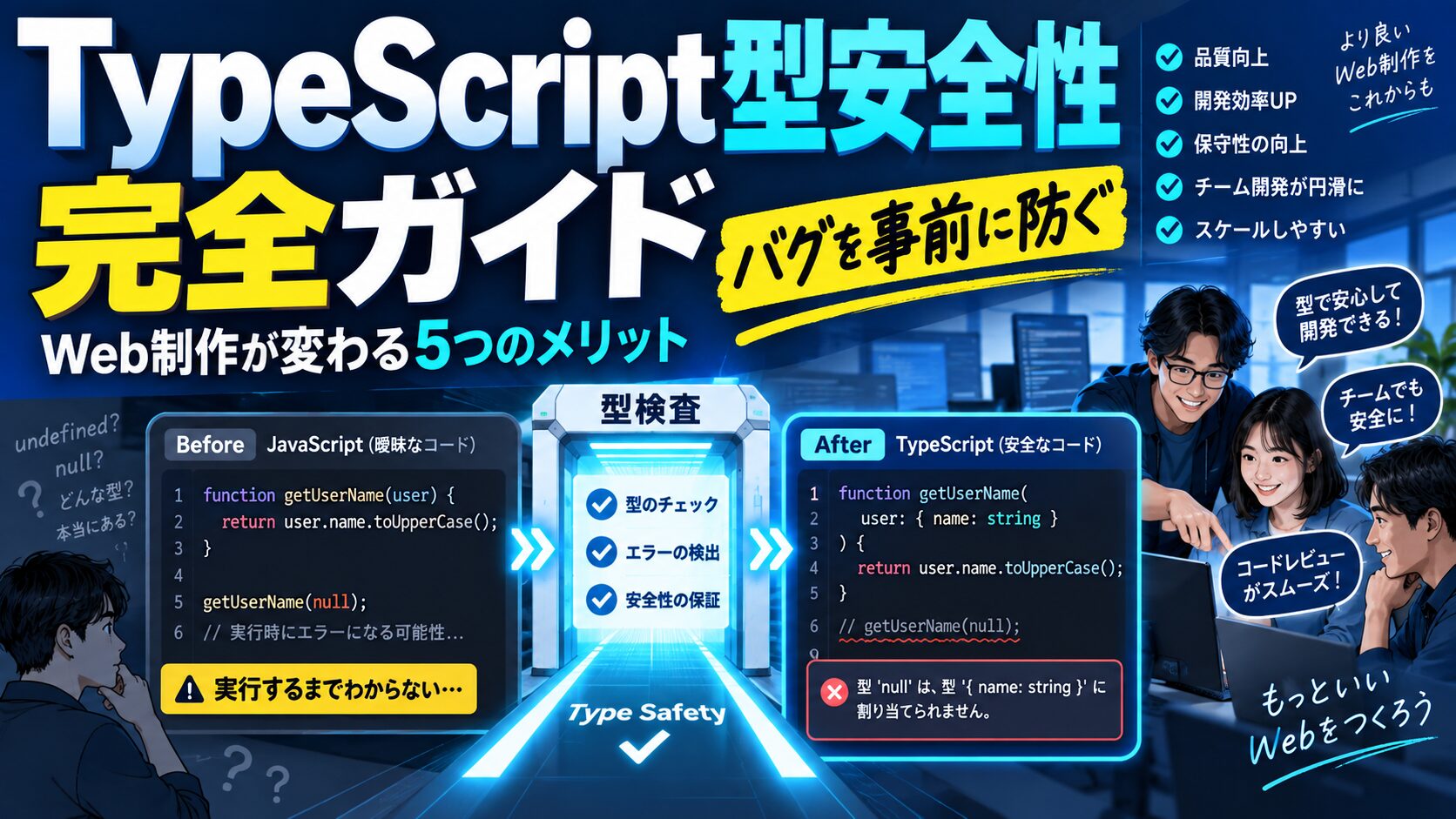
 生徒
生徒TypeScriptって難しそうですけど、JavaScriptで十分じゃないんですか?
 ペン博士
ペン博士よーく聞くんだぞ!TypeScriptの型安全性は、バグを未然に防ぎ、開発効率を劇的に向上させるんじゃ。今日はWeb制作でTypeScriptを使うメリットを詳しく解説するぞい!
Web制作の現場ではJavaScriptが長年使われてきましたが、近年TypeScriptの採用が急速に広まっています。型安全性(Type Safety)により、コンパイル時にバグを発見でき、チーム開発での品質と効率が劇的に向上します。本記事ではTypeScriptの5つのメリットを具体的なコード例とともに解説し、React・Next.js・Vue 3での活用法も紹介します。
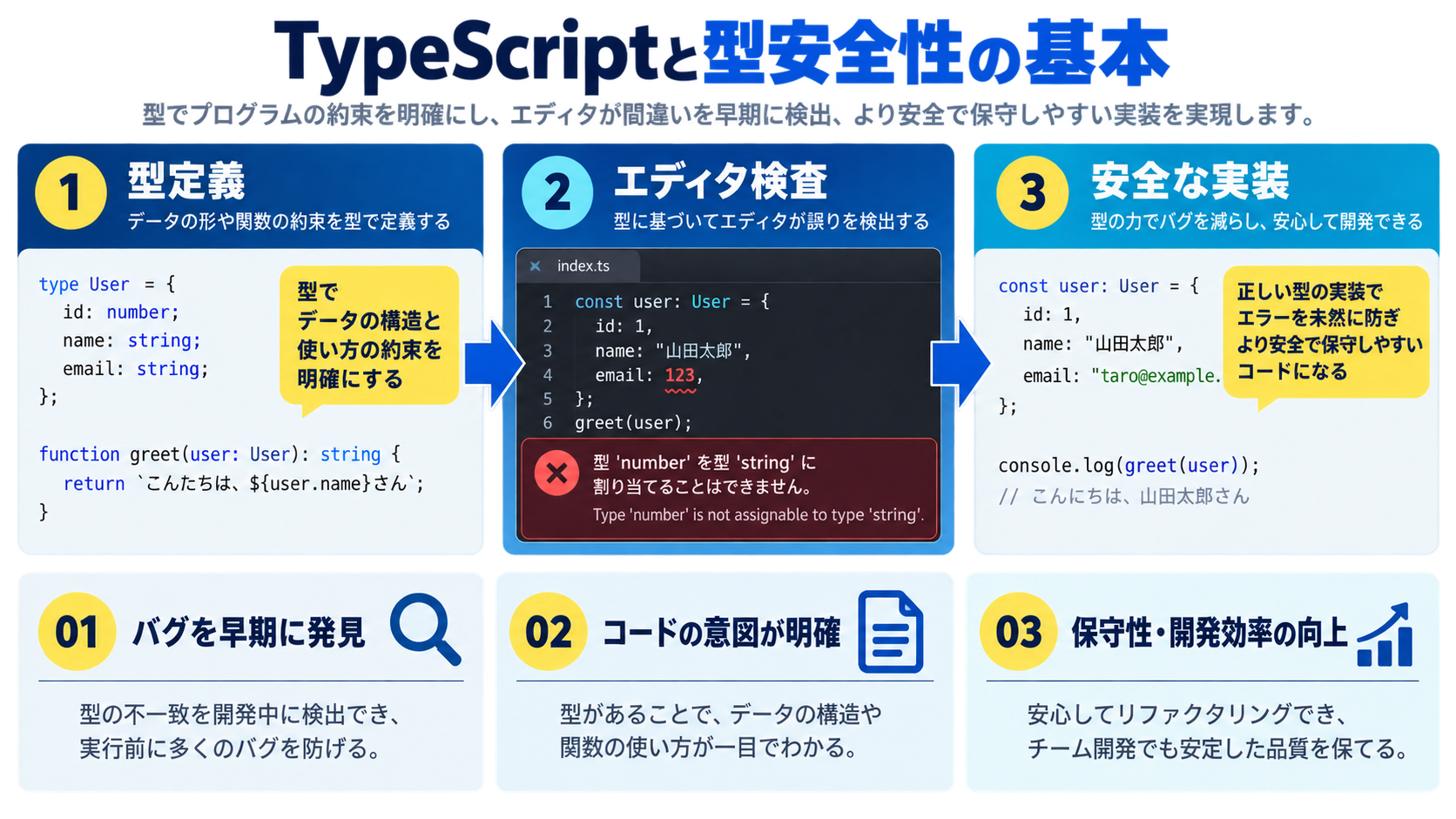
TypeScriptはMicrosoftが開発したJavaScriptに型システムを追加したプログラミング言語です。JavaScriptのスーパーセット(上位互換)として設計されており、既存のJavaScriptコードはそのままTypeScriptとして動作します。
| 特徴 | 内容 |
|---|---|
| 静的型付け | コンパイル時に型チェックを行い、実行前にバグを検出 |
| JavaScriptへの変換 | 最終的にJavaScriptにトランスパイルされてブラウザで動作 |
| 最新のECMAScript機能 | ES2020以降の機能を先取りして使える |
| 強力なエディタサポート | VSCodeとの統合が優れており補完・エラー表示が充実 |
| 段階的導入可能 | 既存のJavaScriptプロジェクトに少しずつ導入できる |
// JavaScript:実行時エラーが発生
function add(a, b) {
  return a + b;
}

// 数値を期待しているが、文字列を渡してしまう
const result = add("10", 5); // "105"(文字列連結)
console.log(result * 2); // NaN(意図しない結果)

// オブジェクトのプロパティ名を間違える
const user = { name: "太郎", age: 25 };
console.log(user.nama); // undefined(typoに気づかない)
// TypeScript:コンパイル時にエラーを検出
function add(a: number, b: number): number {
return a + b;
}
// ❌ エラー:Argument of type 'string' is not assignable to parameter of type 'number'
const result = add("10", 5);
// 型定義でプロパティを明示
interface User {
name: string;
age: number;
}
const user: User = { name: "太郎", age: 25 };
// ❌ エラー:Property 'nama' does not exist on type 'User'. Did you mean 'name'?
console.log(user.nama);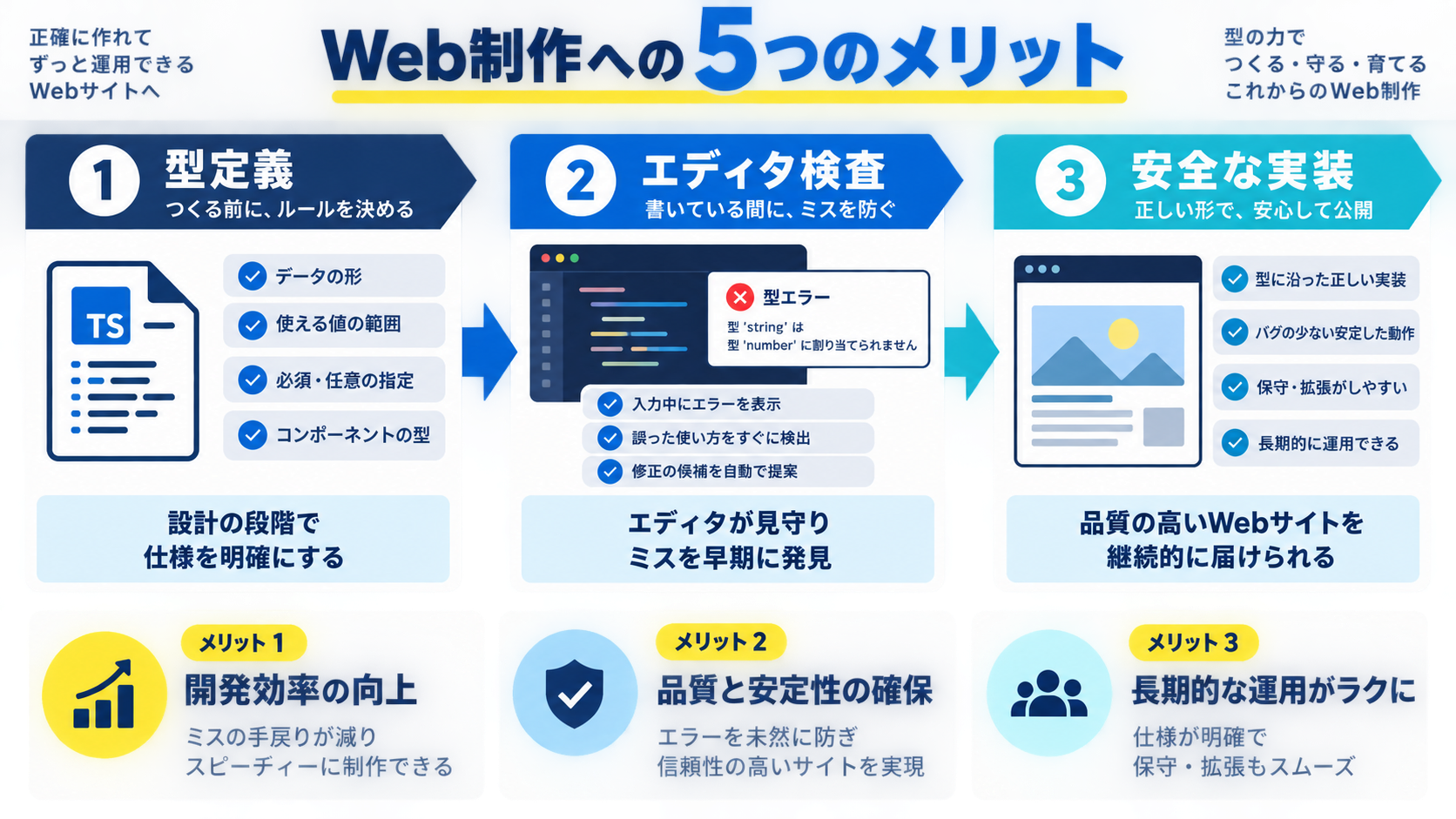
型安全性の最大のメリットは実行前にバグを発見できることです。JavaScriptでは実行時にしか発見できなかったエラーを、コードを書いている段階で防げます。
// JavaScript:実行時にエラー
function getUserName(user) {
  return user.profile.name; // userがnullやundefinedだとエラー
}

const result = getUserName(null);
// ❌ Uncaught TypeError: Cannot read properties of null (reading 'profile')
// TypeScript:型でnullを明示的に扱う
interface Profile {
name: string;
}
interface User {
profile: Profile;
}
function getUserName(user: User | null): string {
// ❌ エラー:Object is possibly 'null'
// return user.profile.name;
// ✅ 正しい実装:nullチェックを強制される
if (user === null) {
return "ゲスト";
}
return user.profile.name;
}
const result = getUserName(null); // "ゲスト"// より簡潔な書き方
function getUserName(user: User | null): string {
return user?.profile?.name ?? "ゲスト";
}
// 配列の安全な操作
function getFirstUserName(users: User[]): string {
return users[0]?.profile?.name ?? "ユーザーなし";
}TypeScriptを使うとVSCodeなどのエディタが劇的に賢くなります。型情報をもとに、正確なコード補完・リファクタリング・ナビゲーション支援を提供してくれます。
interface Product {
  id: number;
  name: string;
  price: number;
  category: "electronics" | "books" | "clothing";
  inStock: boolean;
}

const product: Product = {
  id: 1,
  name: "ノートPC",
  price: 120000,
  category: "electronics",
  inStock: true,
};

// "product." と入力すると、エディタが自動的に以下を提案
// - id
// - name
// - price
// - category
// - inStock

// ❌ 存在しないプロパティにアクセスしようとするとエラー
console.log(product.description); // Property 'description' does not exist
// 関数の引数にカーソルを合わせると、型情報が表示される
function filterProducts(
products: Product[],
category: Product["category"]
): Product[] {
return products.filter((p) => p.category === category);
}
// 関数を呼び出すとき、引数の型が表示される
// filterProducts(products, ???)
// ↑ ここで "electronics" | "books" | "clothing" と表示
const electronics = filterProducts(products, "electronics");
// ❌ 存在しないカテゴリーを指定するとエラー
const toys = filterProducts(products, "toys");プロパティ名やメソッド名を変更すると、すべての使用箇所を自動的に更新するリネーム機能(Rename Symbol)も TypeScript 環境でこそ確実に機能します。
TypeScriptの型定義はコードのドキュメントとしても機能します。チームメンバー全員が同じ理解のもとでコードを書けるため、レビューや引き継ぎがスムーズになります。
// ❌ JavaScript:関数の仕様が不明確
function createOrder(userId, items, shippingAddress) {
  // itemsは配列?オブジェクト?
  // shippingAddressはどんな形式?
  // 戻り値は何?
}

// ✅ TypeScript:型定義で仕様が明確
interface OrderItem {
  productId: number;
  quantity: number;
  price: number;
}

interface ShippingAddress {
  postalCode: string;
  prefecture: string;
  city: string;
  addressLine1: string;
  addressLine2?: string; // オプショナル
}

interface Order {
  orderId: string;
  userId: number;
  items: OrderItem[];
  totalAmount: number;
  shippingAddress: ShippingAddress;
  createdAt: Date;
}

function createOrder(
  userId: number,
  items: OrderItem[],
  shippingAddress: ShippingAddress
): Promise<Order> {
  // 実装
  // 型定義を見るだけで、引数と戻り値の形式がわかる
}
// バックエンドとフロントエンドで型定義を共有
// types/api.ts
export interface GetUsersResponse {
users: User[];
totalCount: number;
page: number;
perPage: number;
}
export interface CreateUserRequest {
name: string;
email: string;
password: string;
}
export interface CreateUserResponse {
user: User;
token: string;
}
// フロントエンド:型安全なAPI呼び出し
async function fetchUsers(): Promise<GetUsersResponse> {
const response = await fetch("/api/users");
const data: GetUsersResponse = await response.json();
return data;
}
// バックエンド(Node.js + Express):同じ型定義を使用
app.get("/api/users", async (req, res) => {
const response: GetUsersResponse = {
users: await db.getUsers(),
totalCount: await db.getUserCount(),
page: 1,
perPage: 20,
};
res.json(response);
});大規模なコード変更や機能追加を行う際、TypeScriptの型チェックが影響範囲を正確に把握する手助けをしてくれます。
// Before:既存のインターフェース
interface User {
  id: number;
  name: string;
  email: string;
}

// After:新しいプロパティを追加
interface User {
  id: number;
  name: string;
  email: string;
  avatar?: string; // 新規追加(オプショナル)
  role: "admin" | "user"; // 新規追加(必須)
}

// ❌ 型エラーで影響範囲がすぐにわかる
const users: User[] = [
  { id: 1, name: "太郎", email: "taro@example.com" }, // エラー:roleがない
  { id: 2, name: "花子", email: "hanako@example.com" }, // エラー:roleがない
];

// ✅ 修正
const users: User[] = [
  { id: 1, name: "太郎", email: "taro@example.com", role: "user" },
  { id: 2, name: "花子", email: "hanako@example.com", role: "admin" },
];
// 古いAPIと新しいAPIが混在する期間の型定義
type LegacyUser = {
user_id: number; // snake_case
user_name: string;
};
type ModernUser = {
id: number; // camelCase
name: string;
email: string;
};
// 両方の形式を受け入れる
type User = LegacyUser | ModernUser;
function displayUser(user: User) {
// 型ガードで分岐
if ("user_id" in user) {
// LegacyUser
console.log(`ID: ${user.user_id}, Name: ${user.user_name}`);
} else {
// ModernUser
console.log(`ID: ${user.id}, Name: ${user.name}`);
}
}TypeScriptは最新のECMAScript機能を早期にサポートし、古いブラウザ向けのコードにトランスパイルしてくれます。
// Optional Chaining(ES2020)
const userName = user?.profile?.name;

// Nullish Coalescing(ES2020)
const displayName = user?.name ?? "ゲスト";

// Private Fields(ES2022)
class BankAccount {
  #balance: number = 0; // プライベートフィールド

  deposit(amount: number) {
    this.#balance += amount;
  }

  getBalance(): number {
    return this.#balance;
  }
}

// Top-level await(ES2022)
const data = await fetch("/api/data").then(r => r.json());

// tsconfig.jsonで古いブラウザ向けに変換
// "target": "ES5" → IE11でも動作するコードに変換される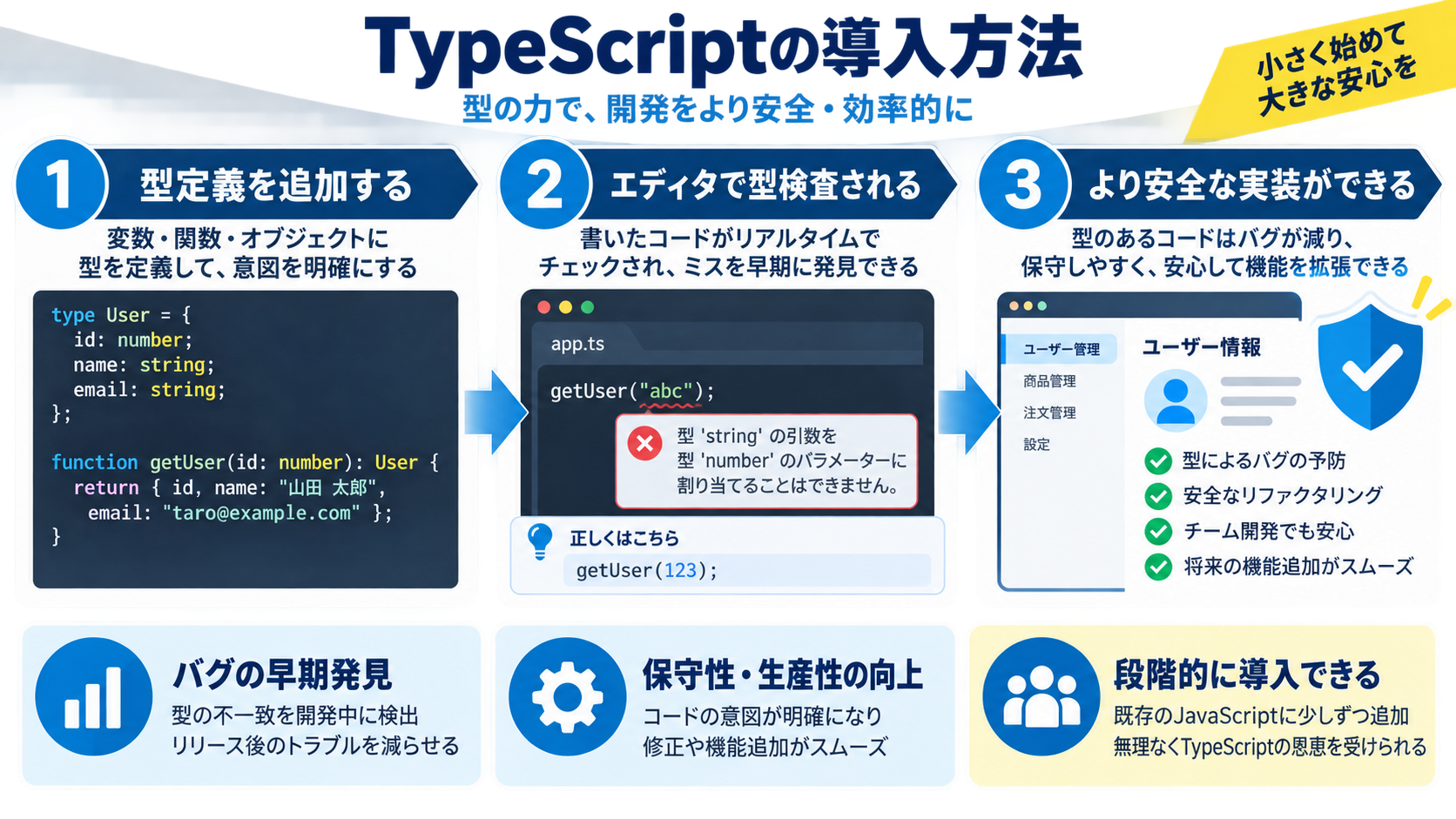
# npm
npm install --save-dev typescript

# yarn
yarn add --dev typescript

# pnpm
pnpm add -D typescript

# TypeScriptバージョン確認
npx tsc --version
# 初期化コマンド
npx tsc --init
# 生成されるtsconfig.json(推奨設定)
{
"compilerOptions": {
"target": "ES2020", // 出力するJavaScriptのバージョン
"module": "ESNext", // モジュールシステム
"lib": ["ES2020", "DOM"], // 使用するライブラリ
"jsx": "react-jsx", // React使用時
"strict": true, // 厳格な型チェック
"esModuleInterop": true, // CommonJSとの互換性
"skipLibCheck": true, // ライブラリの型チェックをスキップ
"forceConsistentCasingInFileNames": true,
"moduleResolution": "node",
"resolveJsonModule": true,
"isolatedModules": true,
"noEmit": true, // Viteなど他のツールでビルドする場合
"outDir": "./dist", // 出力ディレクトリ
"rootDir": "./src", // ソースディレクトリ
},
"include": ["src/**/*"],
"exclude": ["node_modules", "dist"]
}// src/index.ts
function greet(name: string): string {
return `Hello, ${name}!`;
}
const message = greet("TypeScript");
console.log(message);
// コンパイル実行
npx tsc
// 生成されたJavaScriptファイル(dist/index.js)を実行
node dist/index.js# TypeScriptのインストール
npm install --save-dev typescript @types/node
# tsconfig.json作成(緩い設定から開始)
{
"compilerOptions": {
"allowJs": true, // JavaScriptファイルも含める
"checkJs": false, // JavaScriptファイルは型チェックしない
"strict": false, // 最初は緩い設定
"noImplicitAny": false,
"target": "ES2020",
"module": "ESNext",
"moduleResolution": "node",
"esModuleInterop": true
},
"include": ["src/**/*"]
}// Before: utils.js
export function formatPrice(price) {
return `¥${price.toLocaleString()}`;
}
// After: utils.ts(型を追加)
export function formatPrice(price: number): string {
return `¥${price.toLocaleString()}`;
}// tsconfig.jsonを段階的に厳格化
{
"compilerOptions": {
// フェーズ1:基本的な型チェック
"noImplicitAny": true, // any型を明示的に書くことを強制
// フェーズ2:null/undefinedのチェック
"strictNullChecks": true, // null/undefinedを厳格にチェック
// フェーズ3:その他の厳格設定
"strictFunctionTypes": true,
"strictBindCallApply": true,
"strictPropertyInitialization": true,
// フェーズ4:すべて有効化
"strict": true
}
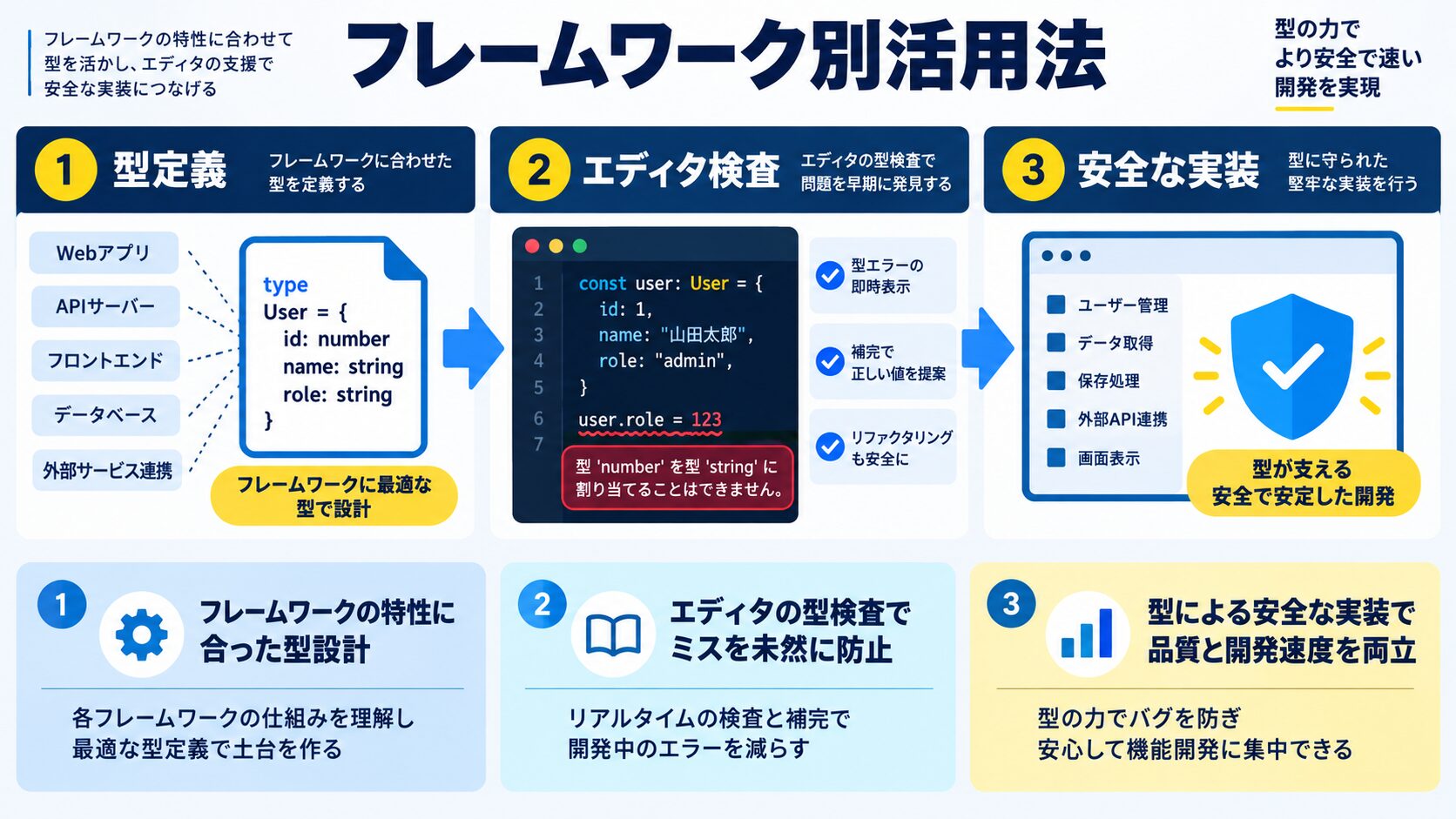
}
# Vite + React + TypeScript
npm create vite@latest my-app -- --template react-ts

# Next.js + TypeScript(自動的にTypeScript設定)
npx create-next-app@latest my-app --typescript
// Props型の定義
interface ButtonProps {
label: string;
onClick: () => void;
variant?: "primary" | "secondary" | "danger";
disabled?: boolean;
}
// 関数コンポーネント
export function Button({ label, onClick, variant = "primary", disabled = false }: ButtonProps) {
return (
<button
onClick={onClick}
disabled={disabled}
className={`btn btn-${variant}`}
>
{label}
</button>
);
}
// React.FCを使った書き方
export const Button: React.FC<ButtonProps> = ({ label, onClick, variant = "primary", disabled = false }) => {
return (
<button onClick={onClick} disabled={disabled} className={`btn btn-${variant}`}>
{label}
</button>
);
};import { useState, useEffect } from "react";
interface User {
id: number;
name: string;
email: string;
}
export function UserProfile({ userId }: { userId: number }) {
// useState:型推論が効く
const [user, setUser] = useState<User | null>(null);
const [loading, setLoading] = useState<boolean>(true);
const [error, setError] = useState<string | null>(null);
useEffect(() => {
async function fetchUser() {
try {
setLoading(true);
const response = await fetch(`/api/users/${userId}`);
const data: User = await response.json();
setUser(data);
} catch (err) {
setError(err instanceof Error ? err.message : "Unknown error");
} finally {
setLoading(false);
}
}
fetchUser();
}, [userId]);
if (loading) return <div>読み込み中...</div>;
if (error) return <div>エラー: {error}</div>;
if (!user) return <div>ユーザーが見つかりません</div>;
return (
<div>
<h2>{user.name}</h2>
<p>{user.email}</p>
</div>
);
}import type { GetServerSideProps, NextPage } from "next";
interface PageProps {
user: User;
}
// ページコンポーネント
const UserPage: NextPage<PageProps> = ({ user }) => {
return (
<div>
<h1>{user.name}</h1>
<p>{user.email}</p>
</div>
);
};
// getServerSidePropsの型定義
export const getServerSideProps: GetServerSideProps<PageProps> = async (context) => {
const { id } = context.params!;
const response = await fetch(`https://api.example.com/users/${id}`);
const user: User = await response.json();
return {
props: { user },
};
};
export default UserPage;import type { NextApiRequest, NextApiResponse } from "next";
interface User {
id: number;
name: string;
email: string;
}
type ErrorResponse = {
error: string;
};
// API Routeハンドラー
export default async function handler(
req: NextApiRequest,
res: NextApiResponse<User | ErrorResponse>
) {
if (req.method !== "GET") {
return res.status(405).json({ error: "Method not allowed" });
}
try {
const { id } = req.query;
const user = await db.getUser(Number(id));
if (!user) {
return res.status(404).json({ error: "User not found" });
}
res.status(200).json(user);
} catch (error) {
res.status(500).json({ error: "Internal server error" });
}
}Vue 3ではComposition APIとTypeScriptの親和性が大幅に向上しています。
# Vite + Vue 3 + TypeScript
npm create vite@latest my-app -- --template vue-ts
<script setup lang="ts">
import { ref, computed, onMounted } from "vue";
interface User {
id: number;
name: string;
email: string;
}
interface Props {
userId: number;
}
// Props型の定義
const props = defineProps<Props>();
// Emitイベントの型定義
const emit = defineEmits<{
userLoaded: [user: User];
error: [message: string];
}>();
// ref:型推論が効く
const user = ref<User | null>(null);
const loading = ref<boolean>(true);
// computed:戻り値の型が自動推論される
const displayName = computed(() => {
return user.value ? user.value.name : "ゲスト";
});
// 関数の型定義
async function fetchUser(): Promise<void> {
try {
loading.value = true;
const response = await fetch(`/api/users/${props.userId}`);
const data: User = await response.json();
user.value = data;
emit("userLoaded", data);
} catch (err) {
const message = err instanceof Error ? err.message : "Unknown error";
emit("error", message);
} finally {
loading.value = false;
}
}
onMounted(() => {
fetchUser();
});
</script>
<template>
<div v-if="loading">読み込み中...</div>
<div v-else-if="user">
<h2>{{ displayName }}</h2>
<p>{{ user.email }}</p>
</div>
</template>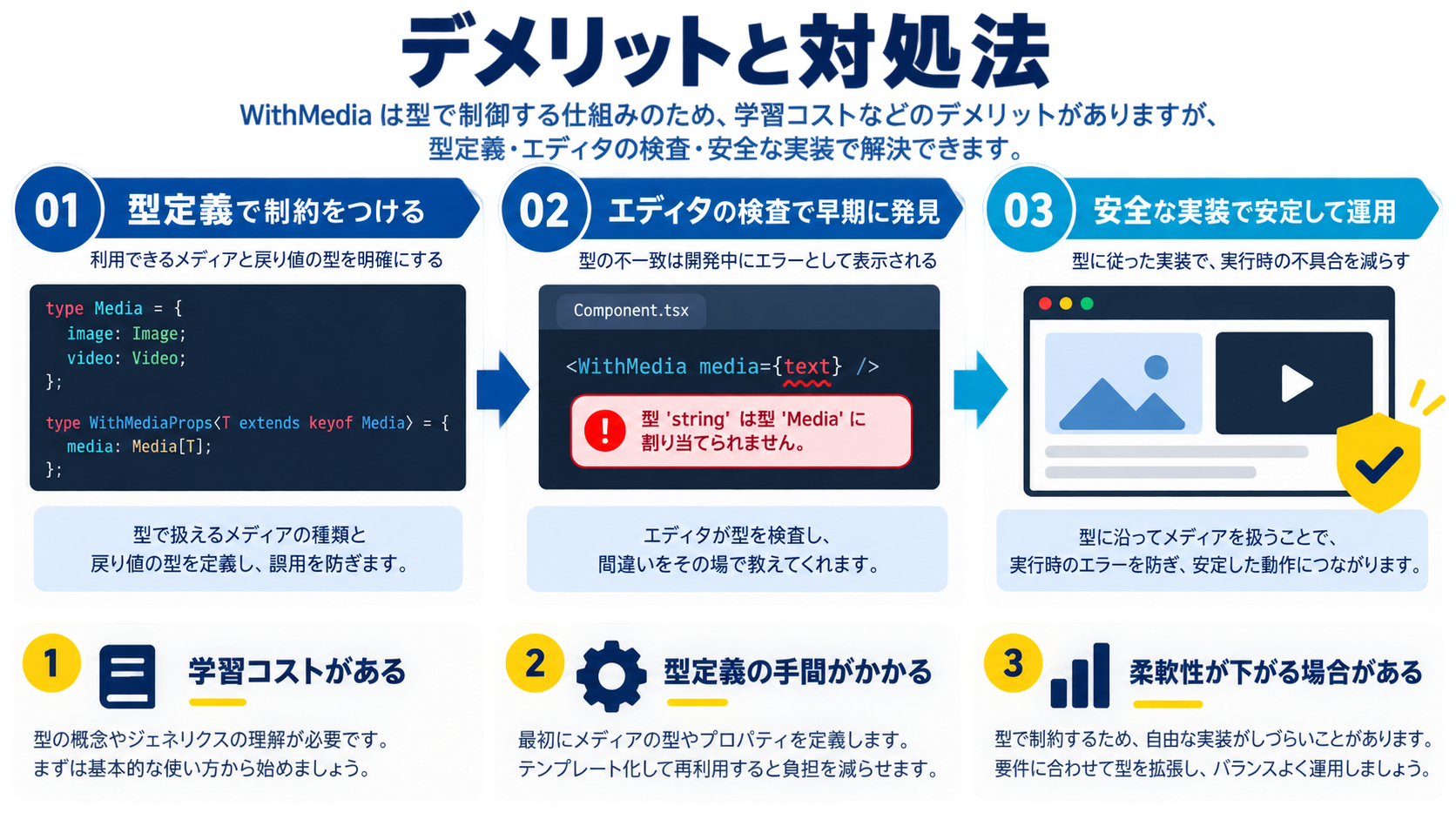
| デメリット | 対処法 |
|---|---|
| 学習コスト:ジェネリクス・Union型・Utility Typesの習得に時間がかかる | 基本的な型(string・number・boolean)から始め、公式TypeScript Handbookで段階的に学ぶ |
| 初期設定の手間:tsconfig.jsonや型定義ファイルの設定が必要 | Vite・Next.jsなどのテンプレートを使う。@tsconfig/recommendedで共有設定を活用 |
| 小規模プロジェクトのオーバーヘッド:型定義の手間が効果を上回ることがある | 単発ツール・短期検証はJavaScript、チーム開発・長期運用はTypeScriptと使い分ける |
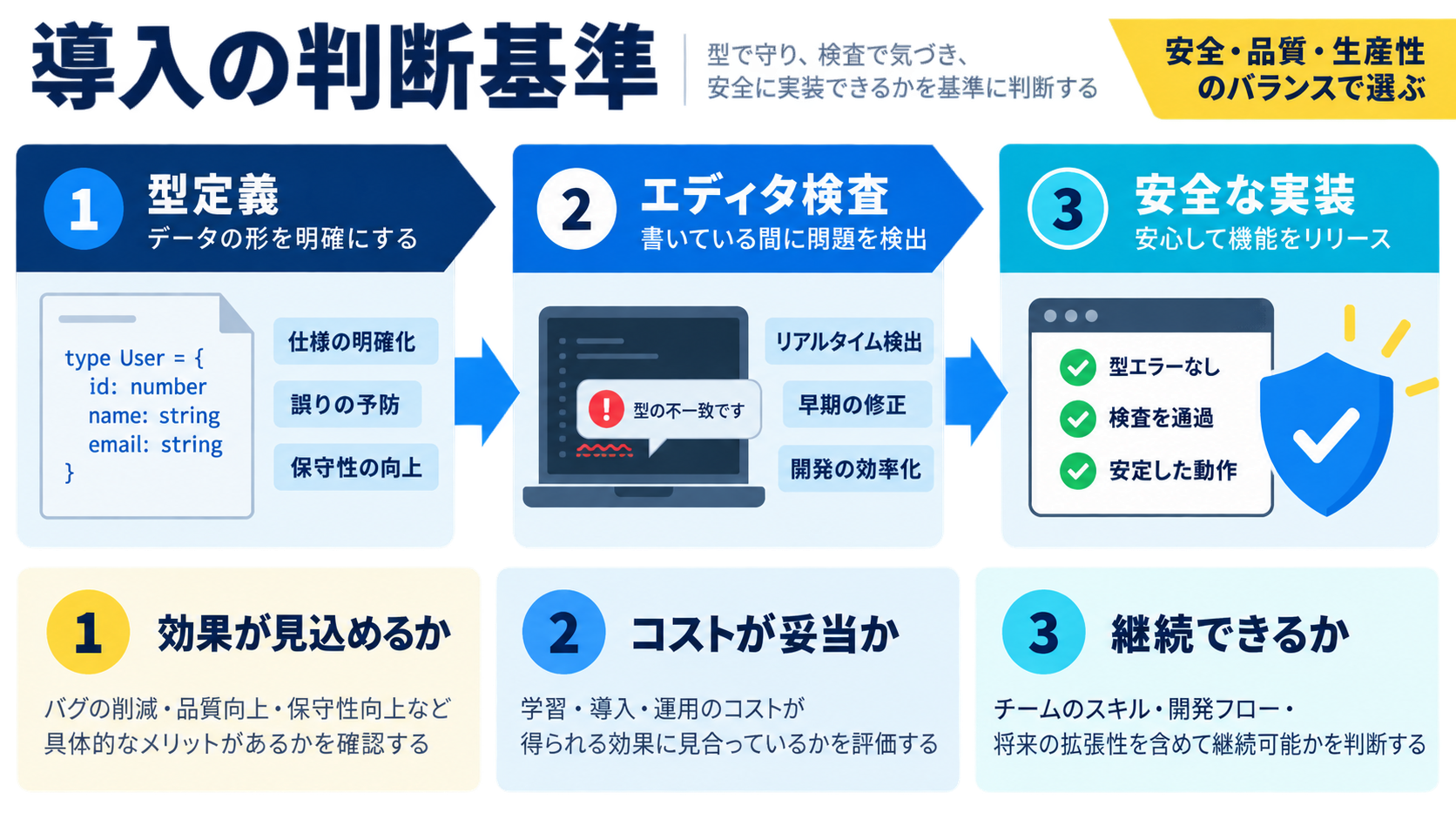
| TypeScriptを推奨するケース | JavaScriptで十分なケース |
|---|---|
| チーム開発(2人以上) | 単発ツール・使い捨てスクリプト |
| 長期運用(半年以上) | 短期検証(1〜2週間の PoC) |
| 継続的な機能追加(アジャイル開発) | 100行未満のシンプルなスクリプト |
| 複雑なビジネスロジック | JavaScript自体を学んでいる初心者 |
| 外部API連携が多い | 既存資産が大量で移行コストが高い |
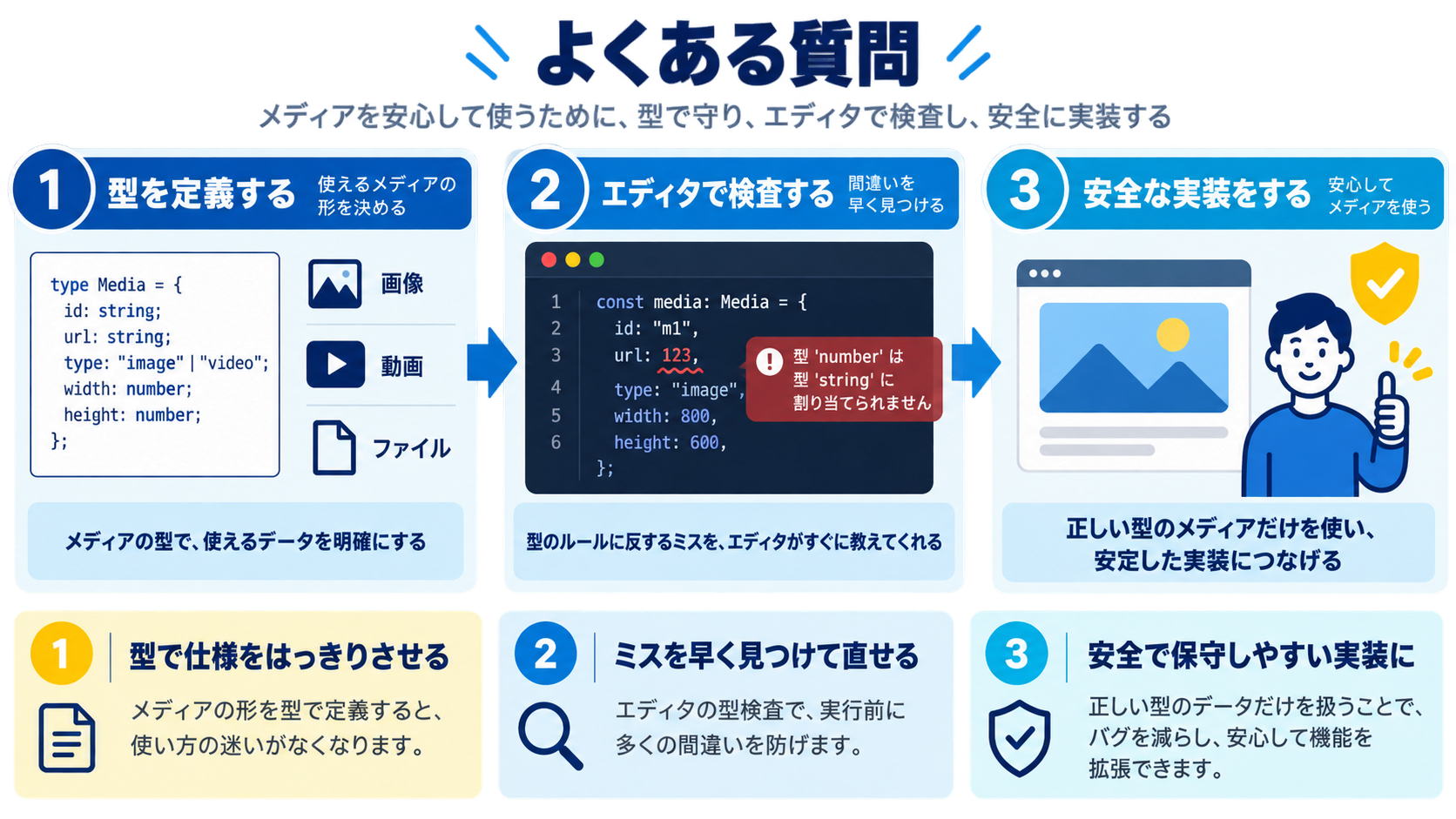
JavaScriptの基礎(変数・関数・非同期処理・DOM操作)を理解してからTypeScriptに進むのが最短ルートです。TypeScriptはJavaScriptの上位互換なので、JavaScriptを書けない状態でTypeScriptの型システムだけを学んでも混乱します。目安として、JavaScriptで簡単なWebアプリを作れるレベルになってから移行しましょう。
any型を使うとその変数の型チェックが完全に無効化され、TypeScriptを使う意味がなくなります。どうしても型が不明な場合はunknown型を使い、型ガードで絞り込んでから操作するのが正しいアプローチです。tsconfig.jsonで"noImplicitAny": trueを設定すると、暗黙的なany型をエラーにできます。
多くのライブラリは@types/ライブラリ名というパッケージで型定義が提供されています(DefinitelyTypedプロジェクト)。npm install --save-dev @types/lodashのようにインストールするだけで使えます。型定義が存在しない場合はdeclare module 'ライブラリ名'で独自に型を定義するか、一時的にany型を使うこともあります。
ViteやesbuildはTypeScriptのトランスパイルのみ行い、型チェックをスキップするため非常に高速です。型チェックはtsc --noEmitを別途実行するか、CIパイプラインで行うことで、開発体験と型安全性を両立できます。tsconfig.jsonで"isolatedModules": trueを設定するとViteとの相性も向上します。
型は違うが処理の構造が同じ関数・クラスを書くときに使います。例えば「配列から最初の要素を取得する関数」はfunction first<T>(arr: T[]): T | undefined { return arr[0]; }と書けば、数値配列でも文字列配列でも型安全に動作します。useState<User | null>(null)のようにReactで日常的に使う形式がジェネリクスです。
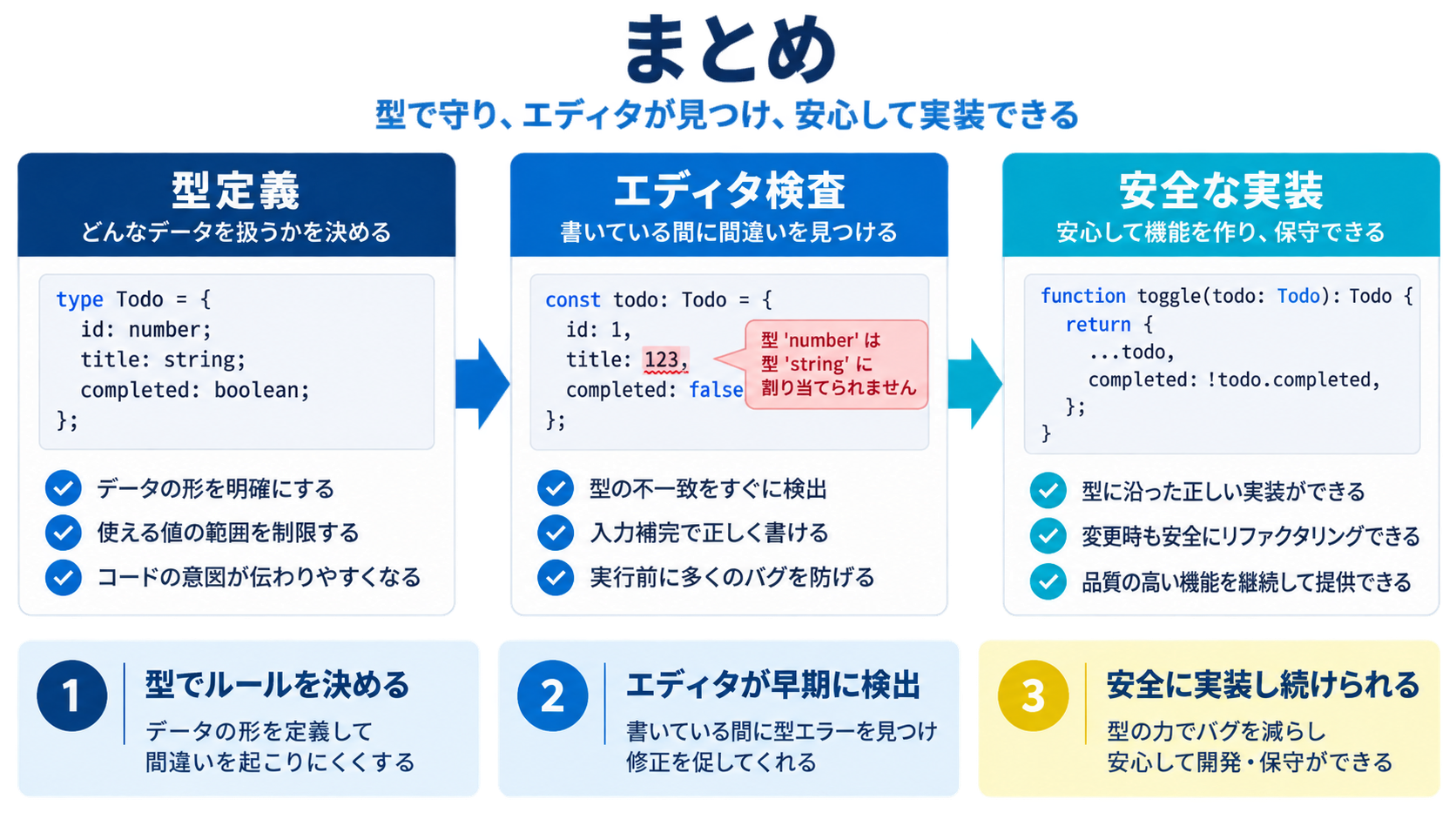
allowJs: true・strict: falseの緩い設定から始めて徐々に厳格化するunknownを使い型ガードで絞り込むTypeScriptの型安全性はバグを未然に防ぎ、開発効率を劇的に向上させる強力な武器です。特にチーム開発や長期運用のプロジェクトでは、型定義がコードのドキュメントとして機能し、保守性が大幅に向上します。

目的に合わせて選べる「AI副業」「AI転職」「AI活用」の3コースを用意。副収入・キャリアチェンジ・日常の生産性アップまで、あなたのゴールに合わせてAIを学べます。
会員登録はカンタン30秒で完了します。まずは公式LINEから、無料でAI学習をスタートしましょう!
公式サイト より
今すぐ
無料カウンセリング
を予約!